정적 파일(컨텐츠)
- resources > static 안에 있는 모든 파일
- 사진, 폰트, 단순페이지, CSS 등등
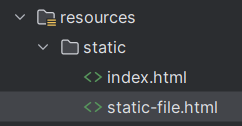
<!DOCTYPE html>
<html lang="en">
<head>
    <meta charset="UTF-8">
    <title>Title</title>
</head>
<body>
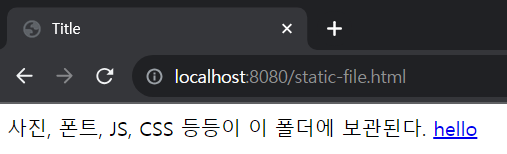
사진, 폰트, JS, CSS 등등이 이 폴더에 보관된다.
<a href="/hello">hello</a>
</body>
</html>
실행하여 URL에 직접 파일 이름을 입력해보자
MVC
Model, View, Controller
브라우저에서 전달받은 데이터를 컨트롤러에서 받고 다른 페이지에 데이터를 넘겨주어 새로운 페이지를 렌더링 한다
브라우저(URL) > 컨트롤러 > 새로운페이지
Thymeleaf Engine
하나의 HTML 파일로 타임리프 엔진의 도움을 받아 새로운 페이지를 만들어 낸다
@Controller
public class HelloController {

    @GetMapping("hello")
    public String hello(Model model) {
        model.addAttribute("data", "hello!!!");
        return "hello";
    }
    @GetMapping("hello-mvc")
    public String helloMvc(@RequestParam("name") String name, Model model){
        model.addAttribute("name", name);
        return "hello-tamplate";
    }
}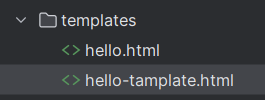
<!DOCTYPE html>
<html lang="en" xmlns:th="http://www.thymeleaf.org">
<head>
    <meta charset="UTF-8">
    <title>Title</title>
</head>
<body>
<p th:text="'name = ' + ${name}"></p>
</body>
</html>
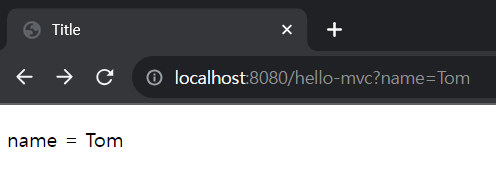
URL에 name이라는 파라미터를 받을수 있게 @RequestParma을 이용하여 컨트롤러에서 받았다
이후 Model에 받은 값을 넘겨주고 새로운 페이지로 전달시켜 화면을 완성시킨것이다
URL을 잘 봐두자
728x90
'Spring' 카테고리의 다른 글
| 스프링 가볍게 느껴보자 (1) (0) | 2024.01.09 |
|---|---|
| API (1) | 2024.01.07 |
| 배포 파일로 만들어 실행 (0) | 2024.01.07 |
| 뷰 페이지 (0) | 2024.01.07 |
| 웰컴 페이지 (0) | 2024.01.07 |


